
ICfly is a range of instruments for microlights and general aviation: artificial horizon, engine data and traffic.
Each device works on its own. Over the ICfly bus they combine into one system: every unit feeds in its data and can display the data of the others. A display then shows the horizon from the AHRS, the engine data from the Motorbox and the traffic from the receiver — on one screen, from three devices.
Everything in the shop — datasheets and manuals
The ICfly bus
The bus is an RS-232 link over DE-15 connectors that also carries the supply. Every device transmits its data onto the bus and reads that of the others; there is no central unit and no bus master.
Putting a system together therefore means deciding where the data should go:
- To a panel instrument: an ICflyDisplay on the bus.
- To the tablet: an ICflyAHRS II or an ICflyConnect brings up a Wi-Fi network; display it in Sky-Map, SkyNavigation Pro or ICfly Instrument.
- Both at once is the normal case and needs no switching.
Devices
| Device | Picture | What it does | Part number | Documents |
|---|---|---|---|---|
| ICflyAHRS II | 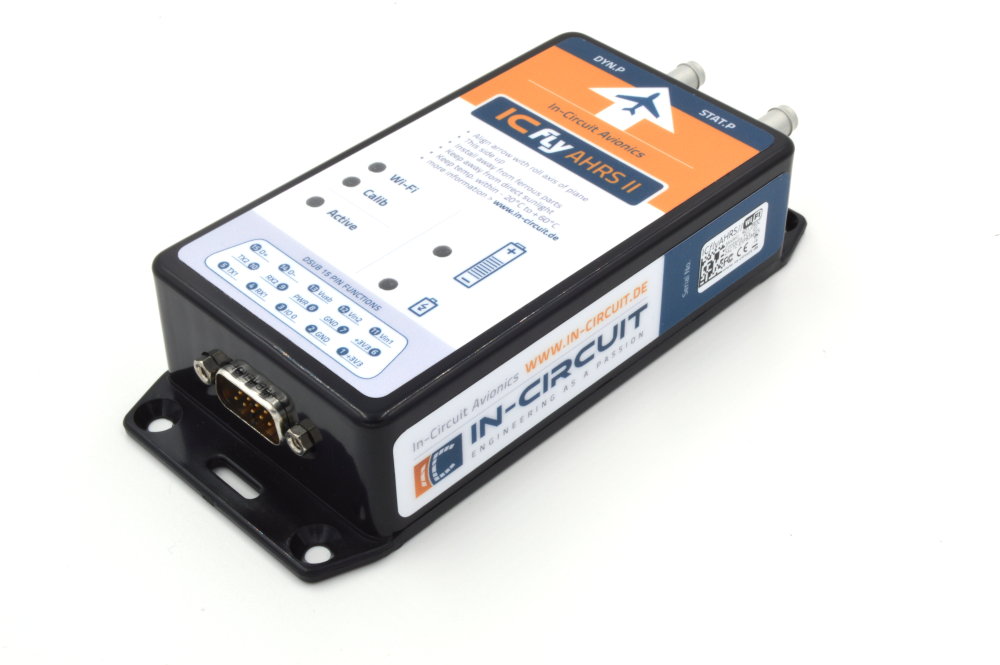 | Attitude and heading reference: artificial horizon, magnetic heading, altitude, airspeed. Sends the data to the tablet over Wi-Fi. | 902.059 | Datenblatt ICflyAHRSII ICflyAHRS2 TRXconfig Bohrplan für ICflyAHRSII |
| ICflyDisplay | 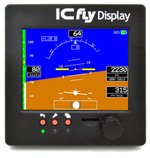 | Panel instrument with touch and a transflective screen: horizon, engine data or traffic — whatever is on the bus. | 901.448B | Datasheet ICflyDisplay (german) |
| ICfly Motorbox 912 | 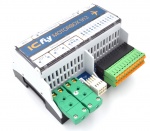 | Reads the engine data of the Rotax 912 and feeds it into the bus. Also powers the bus. | 901.410B | Datasheet ICflyMotorbox 912 (german) ICflyMotorbox NMEA Datensatz |
| ICflyConnect |  | Dual bidirectional RS-232-to-Wi-Fi bridge — carries bus data to the tablet and commands back. | 901.480B | ICflyConnect datasheet |
| ICflyTraffic |  | ADS-B receiver with GPS. Passes the traffic picture to display and tablet. | Datasheet ICflyTraffic (german) |
Adapters for third-party traffic sensors
If a traffic sensor is already fitted, an adapter brings it onto the bus. All three share one datasheet.
| Adapter | Picture | For | Part number |
|---|---|---|---|
| ICfly-TRX1500-Adapter |  | TRX-1500, DE-15 on both sides | 902.174 |
| ICfly-TRX2000-Adapter |  | TRX-2000, on RJ-45 port 1 | 902.174A001 |
| ICfly-PowerFLARM-Adapter |  | PowerFLARM traffic sensor | 902.174A002 |
Accessories
| Part | Purpose | Part number |
|---|---|---|
| ICfly-AHRS-II USB adapter with button | Makes the ICflyAHRS II usable without a display; charges it as well | 901.375 |
| ICflyBus cable, 0.5 m | Link between two ICfly devices | 306.079 |
| ICflyBus cable, 2 m | The same over longer runs in the airframe | 306.057 |
| D-SUB15HD cable set ICfly | Pre-made set for a custom loom | 303.325 |
| Outside air temperature sensor | OAT for the Motorbox | 256.002 |
| Manifold pressure sensor (MAP) | Manifold pressure for the Motorbox | 113.060 |
| PVC hose 5 × 1.5 mm | Pressure line to the MAP sensor | 303.242 |
| T-piece 5 mm | Branch in the pressure line | 303.241 |
| Software update, ICfly devices | Installation of a new software release by In-Circuit | 902.151 |
Getting started
- Without fitting anything into the panel, an ICflyAHRS II with the USB adapter is enough — one device, one tablet.
- Engine data arrives with the Motorbox 912. It powers the bus as soon as more than one device hangs on it.
- Into the panel the picture moves with the ICflyDisplay.
- Traffic comes either from the ICflyTraffic or from an existing third-party sensor through the matching adapter.
The order is free: every device works on its own, and one connected later is recognised on the bus without configuration.
Downloads
- Datasheet: ICfly-TRX-Adapter — TRX-1500, TRX-2000 and PowerFLARM
- The remaining datasheets and manuals are on the pages of the individual devices