radino40 Programmer
Hardware
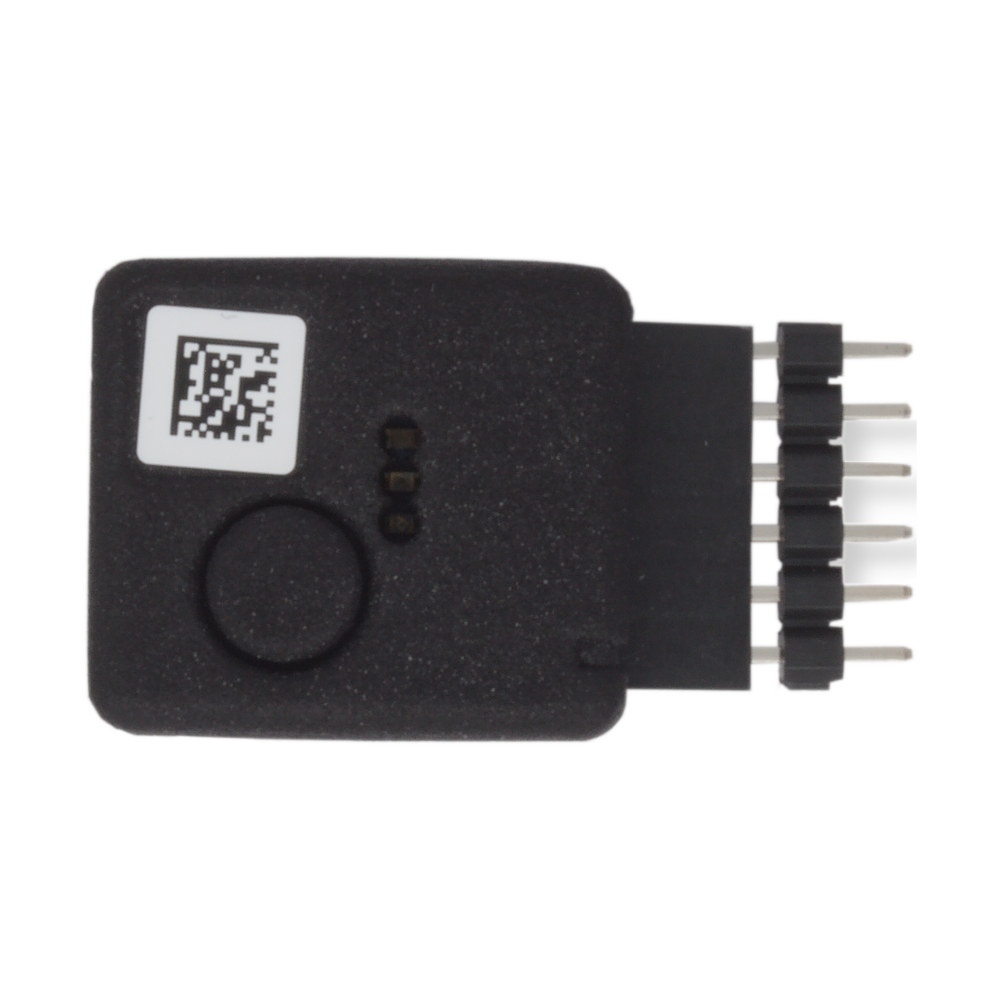
The radino40 Programmer programs all radino40 modules through the 6-pin connector. It is connected to the PC over Micro-USB and operated with the browser tool.
It stores the firmware internally and can write it to a radino40 module at the press of a button, also without a PC. This makes it usable as a stand-alone field updater for radino40 devices.
Before writing, it checks that the firmware matches the hardware of the module. If needed, it brings the bootloader of the module up to date automatically.
Features:
- Programs all radino40 modules
- Button and 3 LEDs that show the state and, in case of an error, the cause
- Micro-USB connector
- 6-pin programming connector
- Dimensions 20 × 30 × 10 mm (30 mm including pin header)
- Weight 8 g
Connection to the radino40 module
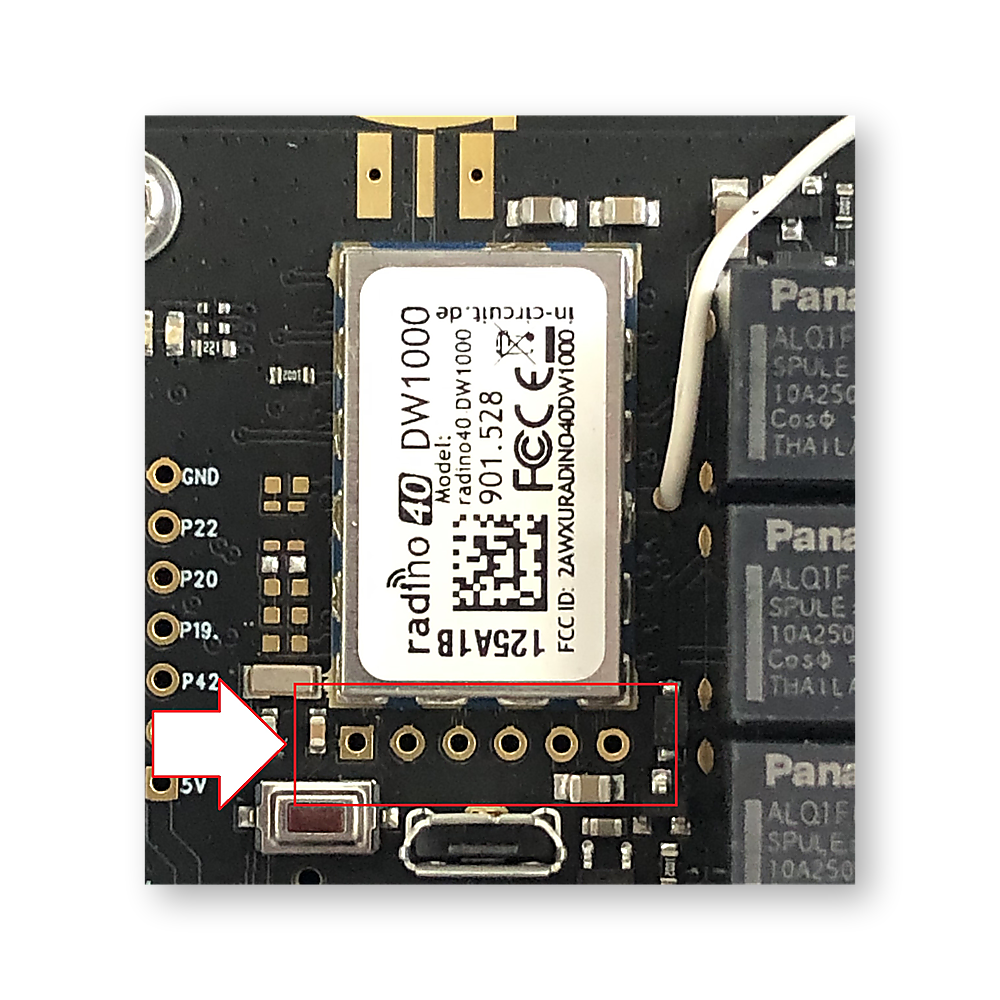
The Programmer is plugged with its 6-pin connector onto a 6-pin header at the module. The square pad is pin 1; the mark on the housing of the Programmer points to pin 1.
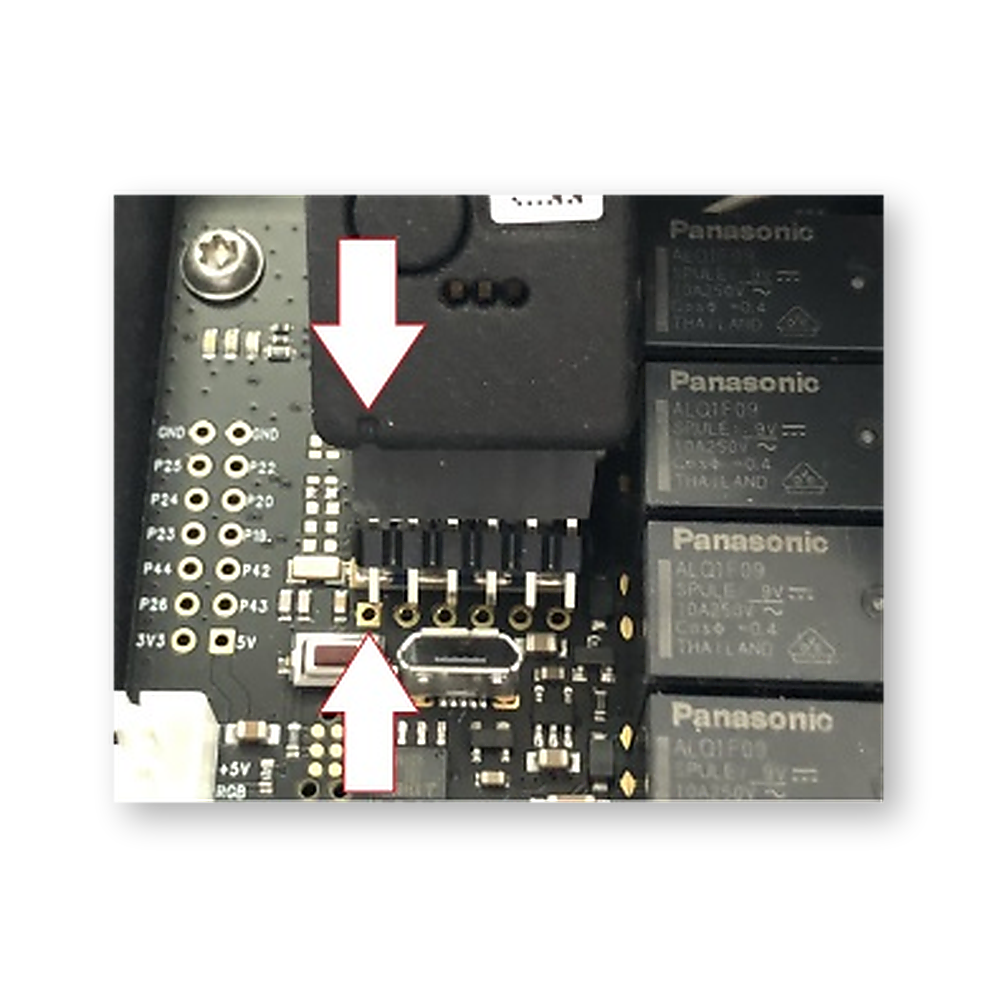
| Pin | Signal at the radino40 | Note |
|---|---|---|
| 1 | P11 / nRST | Reset |
| 2 | GND | |
| 3 | P13 / RXD | Serial interface of the module, receive |
| 4 | P14 / TXD | Serial interface of the module, transmit |
| 5 | VCC (3.3 V) | Supply of the module |
| 6 | P16 / BSL | not used |
If you use a radino40 module in your own hardware, place this 6-pin header (2.54 mm pitch) with this assignment next to the module. The module can then be programmed directly with the Programmer.
Storing firmware in the Programmer
Firmware for radino40 modules comes as an update file with the extension .programmer.zip. It is part of the respective firmware release.
- Connect the radino40 Programmer to the PC over USB
- Open the browser tool in Chrome or Edge, click Connect and select the Programmer
- Switch to Check image and drag the update file into the field or click to choose it. The tool shows name, version and target hardware and checks the file.
-
- Click Store on radino40 Programmer. This takes about 12 to 30 seconds depending on the firmware. The blue LED flashes and then stays on.
- Done. The firmware is stored in the Programmer.
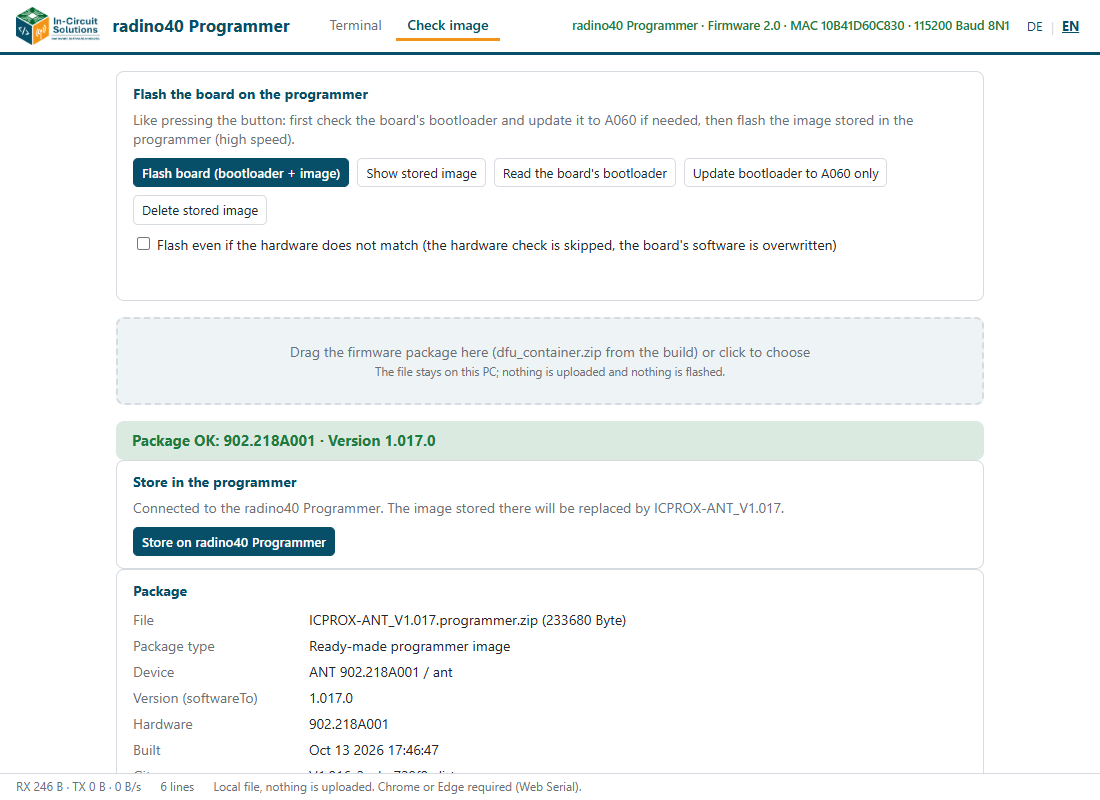
When the Programmer is plugged onto a module, the module can be programmed directly from the PC with Flash board (bootloader + image). The tool shows the progress in steps: check bootloader, update bootloader, write firmware, check target module.
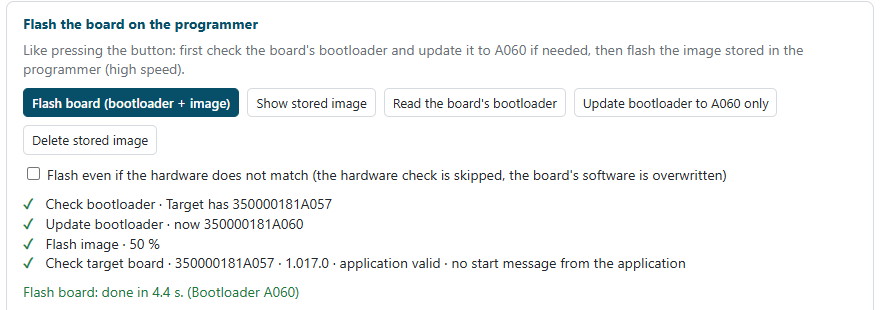
The stored firmware can also be displayed and deleted.
The tool is available in German and English. It runs in the browser; nothing is uploaded.
Performing a field update
- Plug the radino40 Programmer in the correct orientation into the 6-pin header of the target device and clamp it slightly tilted
- Provide the power supply
- Option A: supply over USB through the radino40 Programmer:
-
- Option B: connect the supply at the target device:
-
- Option A: supply over USB through the radino40 Programmer:
- Keep this position during the entire programming process
- The blue LED shows that a firmware is stored in the Programmer, the green LED that the Programmer is ready
- Press the button on the radino40 Programmer briefly and release it
- The green LED flashes during programming. This takes about 12 seconds, longer with a bootloader replacement.
- After a successful run the green LED flashes fast for 5 seconds and then stays on
- Disconnect the supply and remove the radino40 Programmer
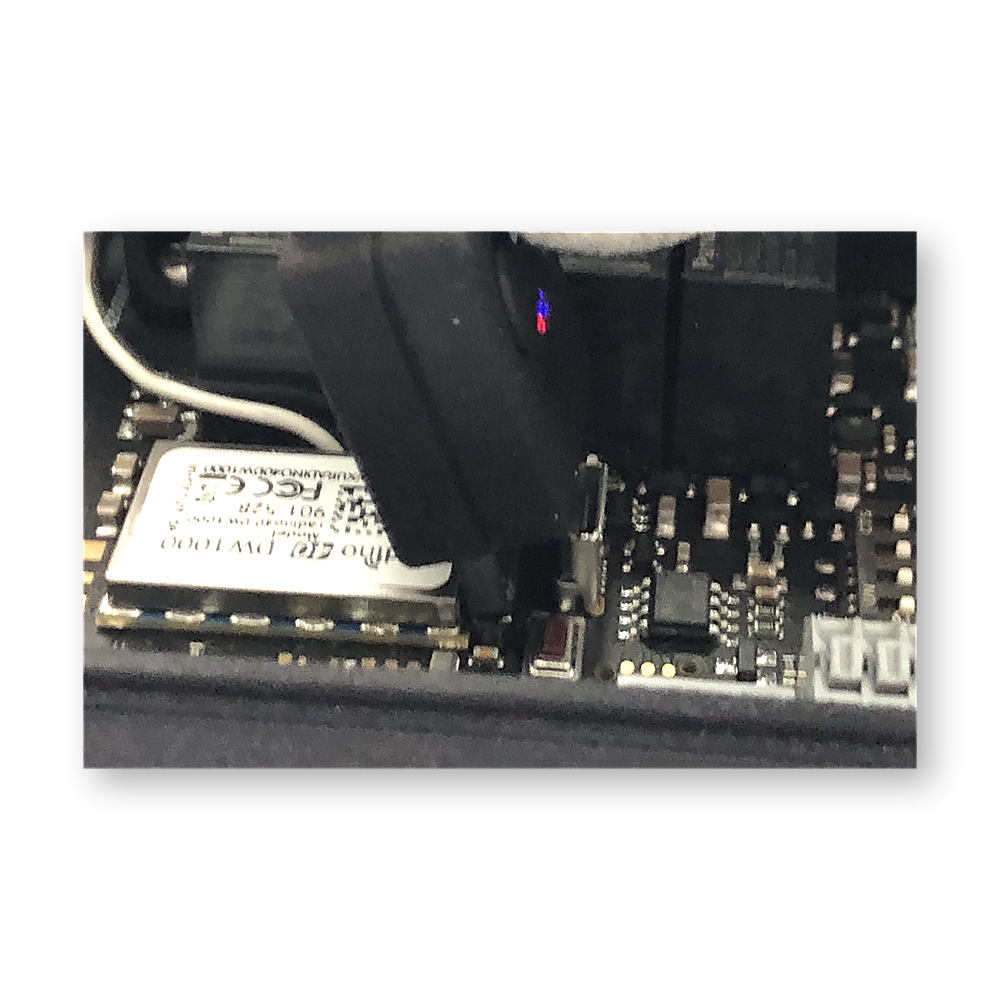
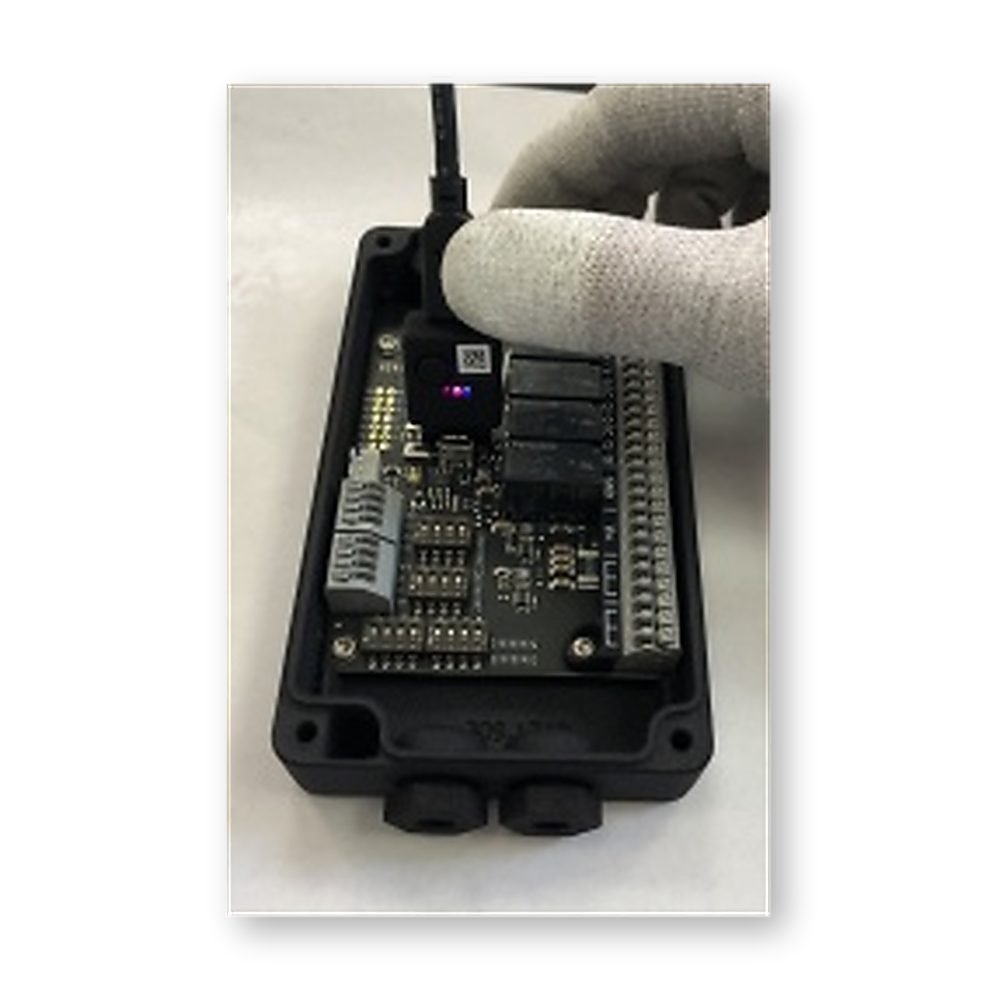
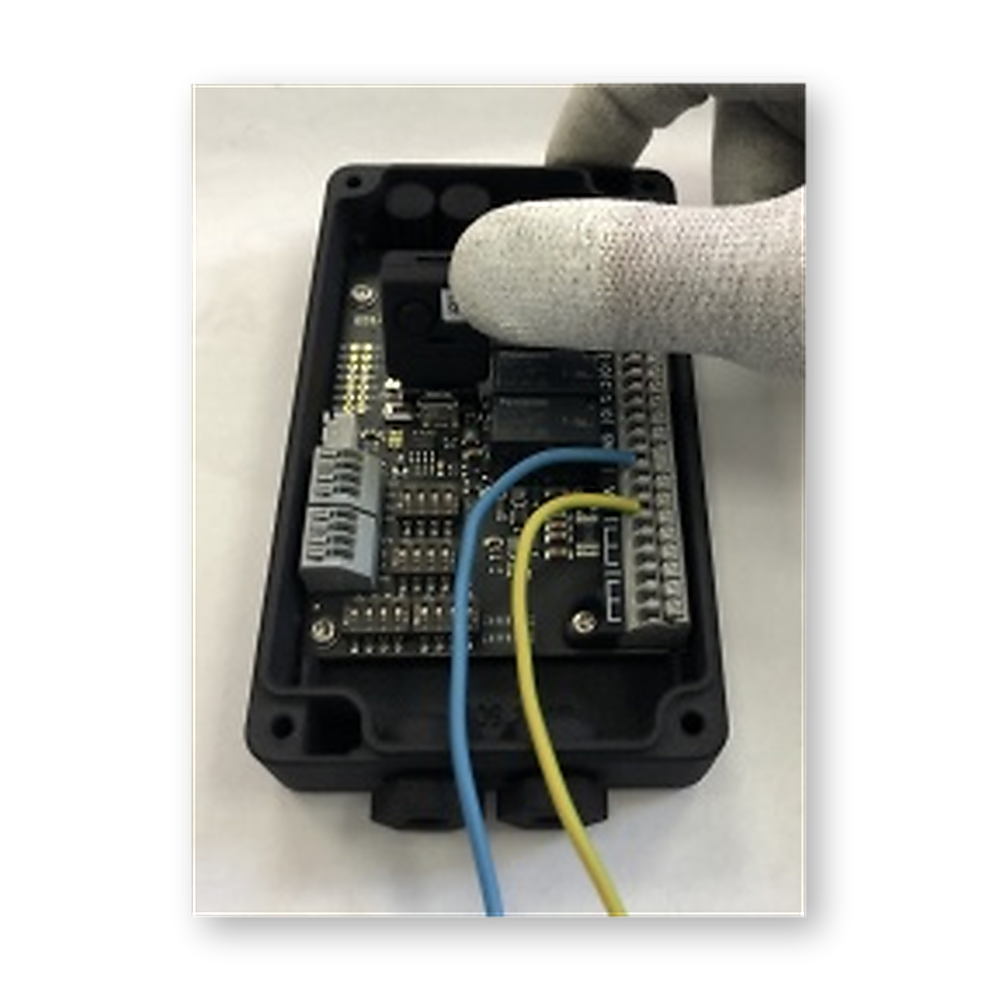
If the firmware does not match the hardware of the module, nothing is written. The red LED then shows the error (see below).
Forcing the update
The button has a second function: hold it for at least 3 seconds. From 3 seconds all three LEDs light up; then release. The firmware is then written without the hardware check, for example to a module that was given the wrong software by mistake.
Caution: A forced update overwrites the software of the module even if the firmware is not intended for it.
The LEDs
The three LEDs are below the button, from the left green, red, blue.
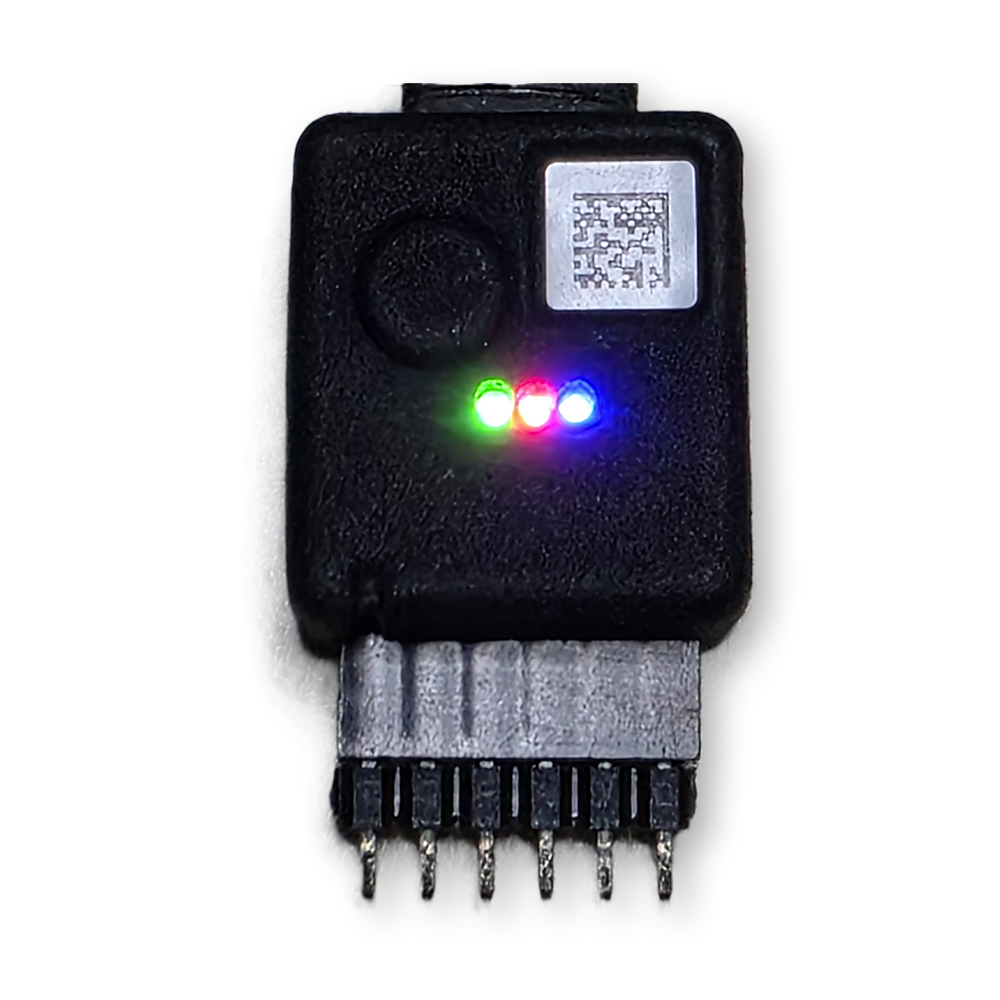
| LED | Indication | Meaning |
|---|---|---|
| Green | on | The Programmer is ready |
| flashing | The Programmer is working (checking or replacing the bootloader, writing the firmware) | |
| fast flashing for 5 s | Writing was successful, then "ready" again | |
| Blue | on | A firmware is stored in the Programmer |
| off | The memory is empty | |
| flashing | A firmware is being stored, or the bootloader is being replaced | |
| Red | off | No error |
| flashes, then stays on | Error in the last run, stays on until the next action |
When connected to USB, a short light sequence runs: green, red, blue, red, green.
Flash code on an error
The red LED flashes the number of flashes, pauses, and repeats this three times. Then it stays on.
| Flashes | Cause | Remedy |
|---|---|---|
| 1 | No firmware stored in the Programmer | Store a firmware (blue must be on) |
| 2 | The hardware of the module does not match the firmware | Choose the matching firmware or check the module. To force the update see above |
| 3 | The module does not answer | Check the seat on the pin header (pin 1) and the supply of the module |
| 4 | Bootloader replacement failed | Try again, do not disconnect the module meanwhile |
| 5 | Transfer failed | Try again |
Firmware of the Programmer
The tool shows the firmware version of the Programmer in its header line after connecting.
A Programmer with older firmware can be brought to firmware 2.0 with the update package radino40_programmer_update_V2.0.zip. The package contains instructions and a script; no login is required.
Caution: A firmware stored in the Programmer is lost during the update and has to be stored again afterwards.
Downloads
Datasheet radino40 Programmer (305000196A)
Browser tool radino40 Programmer (Chrome or Edge, single file, runs offline)
Update package Programmer firmware 2.0 (radino40_programmer_update_V2.0.zip, 13 MB)
The browser tool replaces the RadinoUpdaterUI. For a Programmer with older firmware, the old RadinoUpdaterUI V1.4 (Windows) is still available. The update package brings the Programmer to firmware 2.0.