ICPROX


ICPROX is a collision protection system for industrial trucks. It continuously measures the distance between vehicle and person by ultra-wideband radio to within ±10 cm and responds in three stages: warn, slow down, stop. The method requires no camera and no line of sight, and it penetrates racking, walls, dust and steam.
The two halves: ICPROX-P and ICPROX-N
ICPROX consists of two subsystems. Both use the same radio technology and the same staged response, but differ in where they are installed and what they do.
| ICPROX-P — on the vehicle | ICPROX-N — in the building | |
|---|---|---|
| Where it sits | On the truck: control unit, display, up to four antennas | At intersections, gates and danger points |
| What it detects | People carrying a tag, AGVs, other vehicles | Vehicles approaching the location |
| How it reacts | Warns the driver, limits speed, stops | Beacon, horn, barrier — plus a reduction request to the vehicle |
| What it needs | A connection to the 24 V on-board supply | Its own 24 V supply on site |
| Setup | Web interface or setup tool | Slide switches on the device, no PC |
Each works on its own. A building can be fitted with ICPROX-N alone — intersections and gates then secure themselves, with no vehicle equipment at all. And a vehicle carrying ICPROX-P protects people even where not a single infrastructure module is installed. Neither half requires the other, and there is no central system tying them together.
Combined, they complement each other. A fourth antenna on the vehicle additionally receives the infrastructure modules. The vehicle then evaluates both sources — the tags around it and the danger points it is approaching — and responds to an intersection before it comes into view. The link runs over radio; there is no cable between building and vehicle.
One half can therefore be installed first and the other added later. Whatever goes in today stays useful.
The choice of vehicle equipment comes down to one question — what should the vehicle detect? A vehicle that only needs to respond to the infrastructure is fully served by a single ICPROX-4R2I as its vehicle unit; the control-unit system with display and up to four antennas is needed once people, AGVs or other vehicles are to be detected as well. Note: the full system joins the infrastructure later by simply adding one more antenna, whereas a 4R2I vehicle unit cannot be reused when upgrading to the full system. The product configurator starts with exactly this question.
Sets: 902.225 · 902.228 · 902.229 — Shop — System manual
Features
- Distance measurement to ±10 cm, range up to 30 m
- Three adjustable reduction levels: warning, speed limitation, stop
- Retrofittable to the 24 V vehicle electrical system
- Danger points and gates can be added without any cable to the vehicle
- No camera and no recording of personal data
- Expandable step by step, from one vehicle to a whole site
Components
| Component | Part no. | Task | Manual |
|---|---|---|---|
| ICPROX-CPU | 902.220 | Vehicle control unit, four relays, two inputs, web interface | Manual |
| ICPROX-Display | 902.217 | Touch display with surroundings map and proximity tone | Manual |
| ICPROX-ANT | 902.218 | UWB antenna, 1–3 per vehicle for distance and direction | Manual |
| ICPROX-Tag | 902.214 | Wearable tag by which people and vehicles are detected | Manual |
| ICPROX-Tag S | 902.214B | Same function, smaller version — also worn on the wrist | |
| ICPROX-AGVTAG | 902.219 | Makes an automated vehicle visible — as an AGV, not as a person | |
| ICPROX-CAM | 902.233 | Rear-area camera with edge detection and time-of-flight checking | |
| ICPROX charging tray | 902.237 · 902.237A001 | Charges four tags side by side, over USB | |
| ICPROX-4R2I | 902.199B | Infrastructure module: danger point, gate or vehicle unit | Manual · Switch configuration aid |
| ICPROX-SEC | 902.206 | RFID access control for vehicles and doors | Manual |
| ICPROX-KEY | 902.230 | Configuration key enabling the web interface | Manual |
Sets
| Set | Part no. | Contents | Application |
|---|---|---|---|
 ICPROX-SET ICPROX-SET | 902.225 | Control unit, display, 1 antenna | Detection in the main direction of travel |
 ICPROX-SET-360 ICPROX-SET-360 | 902.228 | Control unit, display, 3 antennas | All-round detection including direction |
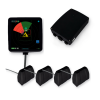 ICPROX-SET-360+N ICPROX-SET-360+N | 902.229 | Control unit, display, 3 antennas + 1 antenna for the building | All-round detection plus link to danger points and gates |
Getting started
- Identify the hazards: junctions, gates, racking aisles and exits first.
- Equip the vehicles — one antenna for the direction of travel, three for approaches from any side.
- Hand out personal tags; give vehicles without their own system a vehicle tag.
- Add infrastructure modules at junctions and gates and set their detection radius on the device.
- Set the three reduction levels on each vehicle to its size, speed and braking distance, then verify the switching points with a personal tag.
Planning, wiring, configuration and troubleshooting are described in full in the system manual.
Technical data
| Property | Value |
|---|---|
| Locating method | Ultra-wideband (UWB), 6.5 GHz |
| Measuring accuracy | ±10 cm |
| Range | up to 30 m line of sight, typ. 10–20 m in a built-up environment |
| Reduction levels | 3, configurable per vehicle |
| Antennas per vehicle | 1–3 for locating, optionally 1 for the building link |
| Detection radius of danger points | 1.5 m – 19 m |
| Power supply | 24 V DC |
| Data protection | no camera, no recording of personal data |
Downloads
- System manual (HTML, English/German)
- ICPROX-P — the vehicle system · ICPROX-N — the infrastructure
- ICPROX Setup Tool — configure a vehicle over a USB cable
- Manuals of the individual components — see the component table above
- Complete ICPROX manual (PDF, English)
- Gesamthandbuch (PDF, deutsch)
Note: ICPROX assists the driver but does not relieve them of their duty of care. People without a tag are not detected by the radio locating.